
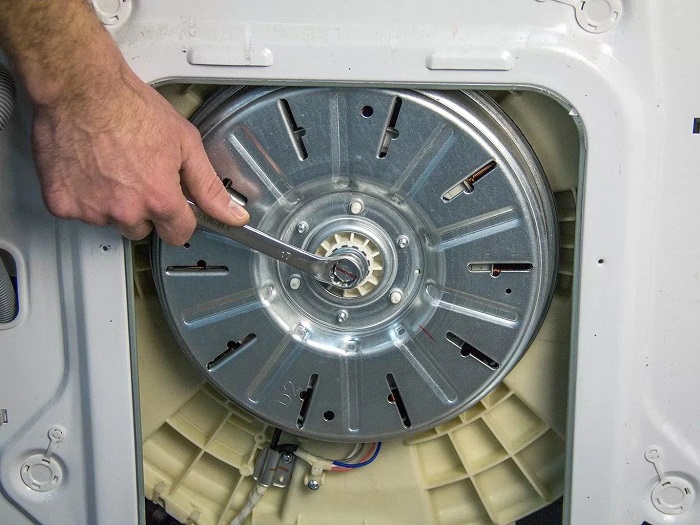
When the dryer drum stops spinning, the laundry doesn’t dry, the cycle may stall, and the motor may idle. Most often, the problem is related to the drive, safety interlocks, or overload, but sometimes wear and tear of components and overheating are to blame.
Before any inspections, unplug the dryer and allow it to cool. If there is a burning smell, signs of melting, sparking, or a tripping circuit breaker, stop using it until a specialist from appliance repair dryer can diagnose the problem.
Step-by-Step Troubleshooting: From Simple to Complex
- Turn off the power and ensure the machine is completely de-energized.
- Check the door: it closes tightly, isn’t warped, and the latch is intact.
- Remove overloading: reduce the load and distribute the laundry evenly.
- Check the drum for free movement: gently rotate it by hand. A loud grinding noise, jamming, or misalignment are reasons to stop and look for the cause in the bearings or rollers.
- Inspect the filters and ventilation: lint-clogged ducts often cause overheating and stalls. Clean the lint filter and, if accessible, the heat exchanger/ducts.
- Assess the symptoms by sound: a humming sound without rotation usually indicates a problem with the drive or starting part of the motor; silence indicates a blockage, power supply, or control.
- If disassembling the housing is necessary, it’s best to entrust the work to a professional: improper assembly can cause the drum to become misaligned and cause further failure.
When to call a professional: if the belt is intact, but the drum doesn’t spin; if there’s a burning smell or signs of overheating; if the dryer shuts off, trips the circuit breaker, or displays error messages. In such cases, it’s best to order a one-time appliance repair dryer with a full diagnostic to avoid replacing parts at random.
Prevention: don’t overload the drum, regularly clean lint filters and ventilation ducts, don’t dry clothes with small items in pockets, and monitor for extraneous noises – early wear of the rollers and belt is noticeable by squeaks and vibrations.
How to make sure the problem is in the drive and not in the drying mode
If the dryer starts, there is an indicator on the display, and fan/heater noise is heard, but the drum doesn’t rotate, it’s important to distinguish a mode selection error from a real drive malfunction.
The test should exclude scenarios in which the drum, according to program logic, may not rotate continuously (pauses, delayed start, overheat protection), and confirm that the command to rotate is present, but the mechanics or motor don’t. They are running.
Step-by-step check
- Make sure there is no delay start and the program is actually running. Check the timer/display: the time should be decreasing, not stopping. Disable the delay and restart the cycle.
- Select a mode with guaranteed spin. Run “Cool Shot/Air” or “Timer/Timed” (without a humidity sensor). These modes usually spin the drum regularly and simplify diagnostics.
- Check that the machine isn’t “pausing” due to the door. Open and close the door firmly until it clicks. If there is a lock, wait for it to engage. If it is not closed tightly, the drive will not start, even if the program is selected correctly.
- Distinguish between mode pauses and complete lack of spin. Normal pauses for reverse cycles last seconds. If the drum doesn’t move at all during the 1-2 minutes of the active phase, it’s likely the drive.
- Check the operating sounds.
- The motor hums/attempts to start, then goes silent – this could indicate a belt, rollers, tensioner, drum jam, or overload.
- The relay/electronics click, but the motor is silent – this could indicate a faulty motor, capacitor (if applicable), control board, or wiring.
- Only the fan/heater is running, but there is no rotation – this isn’t a “mode issue” if the spin mode is selected.
- Rule out overload and imbalance. Stop the dryer, remove some laundry, and restart. If rotation resumes with a smaller load, the problem may be overload, not the drive.
- Check the drum for free movement (only with the machine unplugged). Turn the drum by hand:
- If it rotates with difficulty, sticking or grinding, it’s likely a mechanical component (rollers, bearings, foreign object) rather than a mode issue.
- If it rotates easily but doesn’t turn, it’s most likely a drive issue (belt/motor/control).
- Check the error codes (if any). Errors related to the motor/belt/tachometer usually point to a drive issue. Humidity or temperature sensor errors can affect the cycle, but usually don’t completely disable spinning.
Bottom Line: If, when selecting a guaranteed spin mode and without a delay/pause option, the drum doesn’t even attempt to spin, and a manual check shows normal or, conversely, jammed operation, the problem most likely lies in the drive components (belt, rollers, tensioner, motor, control electronics), and not in the drying program settings.